Your clips, sized right for Discord.
Clipmunk finds the clips from OBS, ShadowPlay, Medal and the rest, lets you trim them, shrinks them under Discord's limit, and posts them to the server in one click.
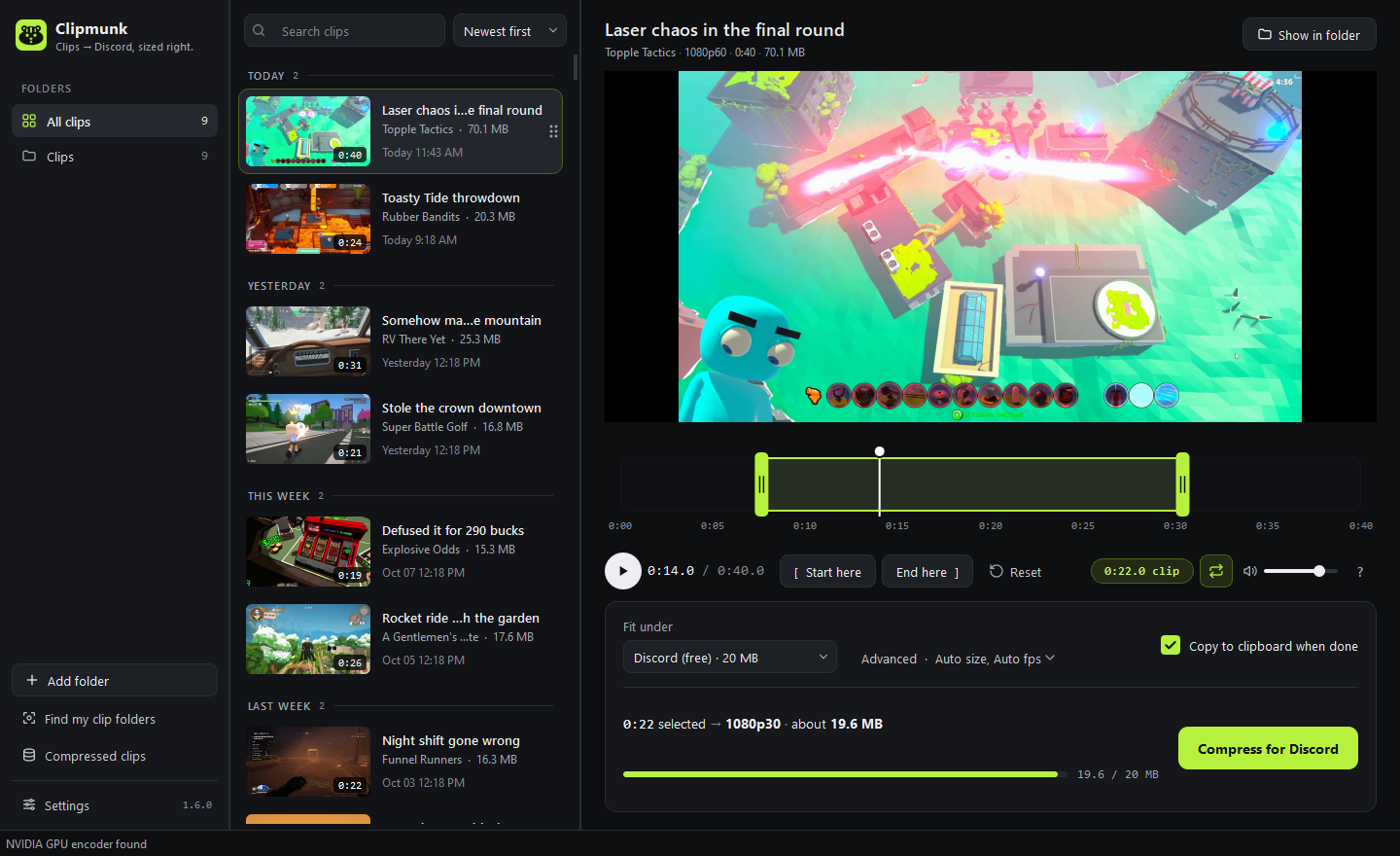
Install once. Then it's 3 clicks.
No accounts, no uploading to some website. Everything happens on your PC until you hit Share.
Install it
Run Clipmunk-Setup.exe. It adds a desktop icon and finds where your capture app saves clips on its own.
Trim it
New clips pop up at the top. Pick one and drag the green handles around the good part.
Drop it
Hit Compress for Discord, then Share to Discord, or just drag the clip into any chat.
"Windows protected your PC"?
That's normal. Windows shows it for any app that isn't from a big company with a paid signing certificate.
- Click More info
- Click Run anyway
You only see this once, when you install.
Everything you need, nothing you don't.
Made for a group of friends who all record differently.
Any capture app
OBS, NVIDIA ShadowPlay, Medal, AMD ReLive, Xbox Game Bar, Outplayed. Watch as many folders as you like.
Always fits
Pick 20 MB (free), 50 MB, 500 MB (Nitro) or your own size. It shows how it'll look before you compress, and remembers your pick.
Share in one click
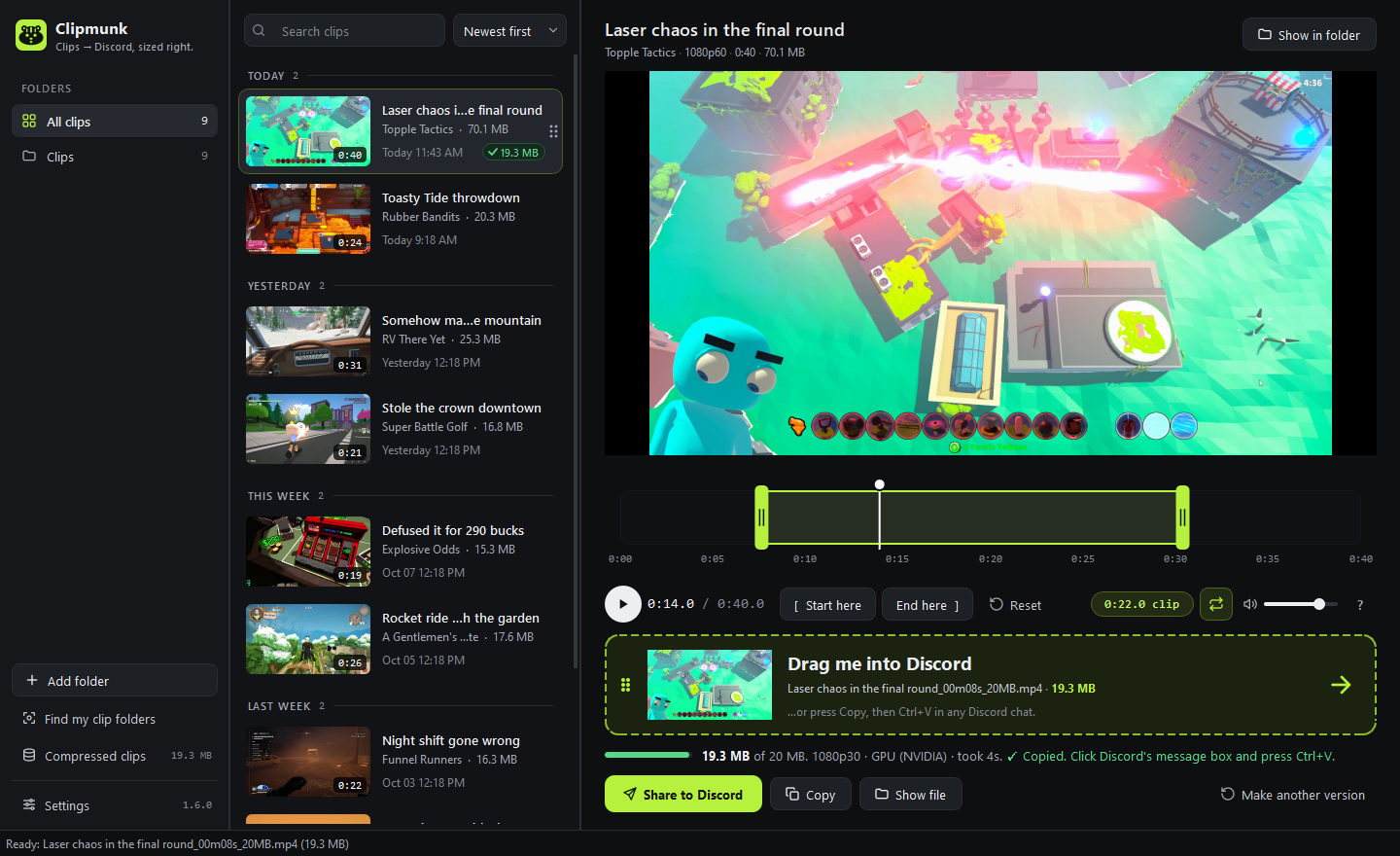
Post straight to the server's clips channel with a message, or drag the file into any chat. Ctrl+V works too.
Quick trims
Drag the handles, or press I and O. Space to play, arrow keys to skip, scroll to zoom in on long recordings.
Works on any PC
Uses your NVIDIA, AMD or Intel GPU to compress fast, and falls back to the CPU if there isn't one.
Updates itself
When there's a new version, an Update button shows up. One click and it reopens with the new stuff.
Then just drag it in.
When it's done, the clip is already on your clipboard. Click Discord's message box and press Ctrl+V, drag the card into a chat, or hit Share to Discord.
Questions
Is it safe?
Yes. It's open source, so anyone can read the code on GitHub. The Windows warning only means the app isn't paid-signed, not that anything is wrong with it.
Does it upload my clips anywhere?
No. Your clips stay on your PC. The only time anything leaves is when you press Share to Discord, and then it goes straight to the server's channel.
Does it mess with my original recordings?
Never. It makes a new, smaller copy (in Videos\Clipmunk) and leaves the original alone.
I have Nitro. Can I post bigger clips?
Yes. Pick Nitro Basic, 50 MB or Nitro, 500 MB under "Fit under" and it keeps more quality. Posts made with Share to Discord follow the server's limit instead.
How do I uninstall it?
Windows Settings → Apps → Clipmunk → Uninstall, like any other program.